
AI ART JAM PHOTO BOOTH
Most AI photo booths work the same way. The provider sets the AI effect, and every guest gets the same style applied to their photo. Our AI Style Transformation Photo Booth, for example, works exactly like this — we preset the AI styles and every guest’s photo is transformed using those preset effects. However, our AI Art Jam Photo Booth flips that entirely. Instead of choosing from preset styles, your guests write their own AI prompts and decide exactly how they want their photo transformed. Want to become a warrior standing on a mountaintop? Type it in. Feel like turning into an anime character in a cherry blossom garden? Go for it. Every result is completely unique because every prompt comes straight from the guest’s own imagination. On top of that, every guest walks away with a printed keepsake and a digital softcopy of their AI creation.
See our AI Art Jam Photo Booth in action. The video below walks through the full guest journey, from photo-taking to prompting to collecting the printed keepsake.
How does our AI Art Jam Photo Booth works?
Step 1: Take Your Photo
Step up to the booth and strike a pose. Our camera then snaps a high-quality photo of you. Once captured, a QR code pops up on screen for you to scan.
Step 2: Scan and Start Prompting
Using your phone, scan the QR code. This opens a simple page on your mobile where you can type your own AI prompt. From there, describe exactly how you want your photo transformed. For example, “Turn me into a warrior on a mountaintop. Keep face 100% original. Photorealistic DSLR.” Need inspiration? Tap the lightbulb icon for ideas.
Step 3: Generate and Preview
Once you have typed your prompt, tap Send and wait a moment for the AI to transform your photo. Not quite what you had in mind? No problem, you get up to 5 tries to experiment with different prompts until you find a result you love.
Step 4: Submit Your Favourite
Happy with a result? Simply choose your favourite from your saved generations and tap Submit. This then locks in the version that goes to print.
Step 5: Collect Your Keepsake
Finally, approach our staff to collect your printed keepsake. At the same time, you can choose to receive your digital softcopy via email, QR code, or WhatsApp.
Our AI Art Jam Photo Booth Package
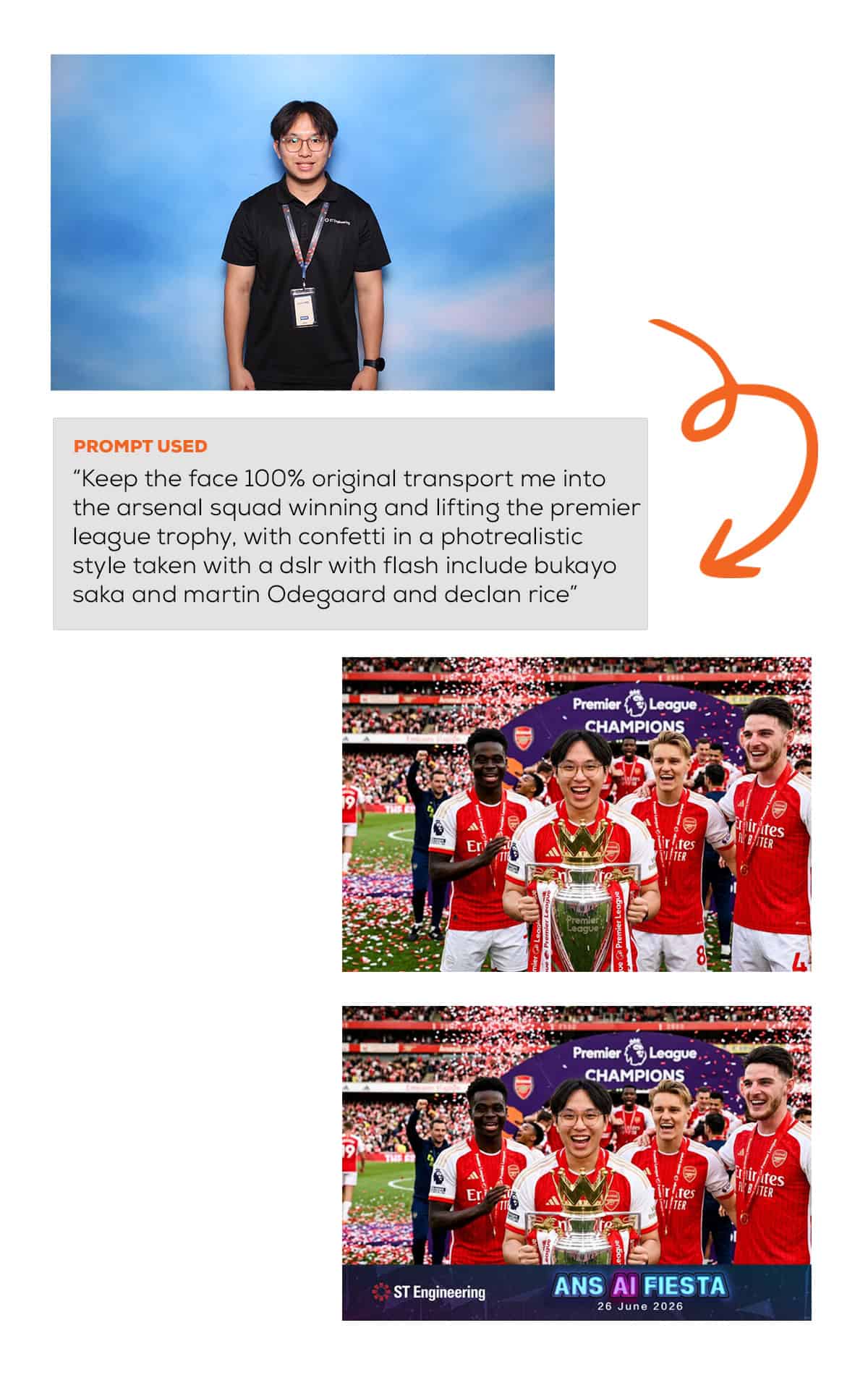
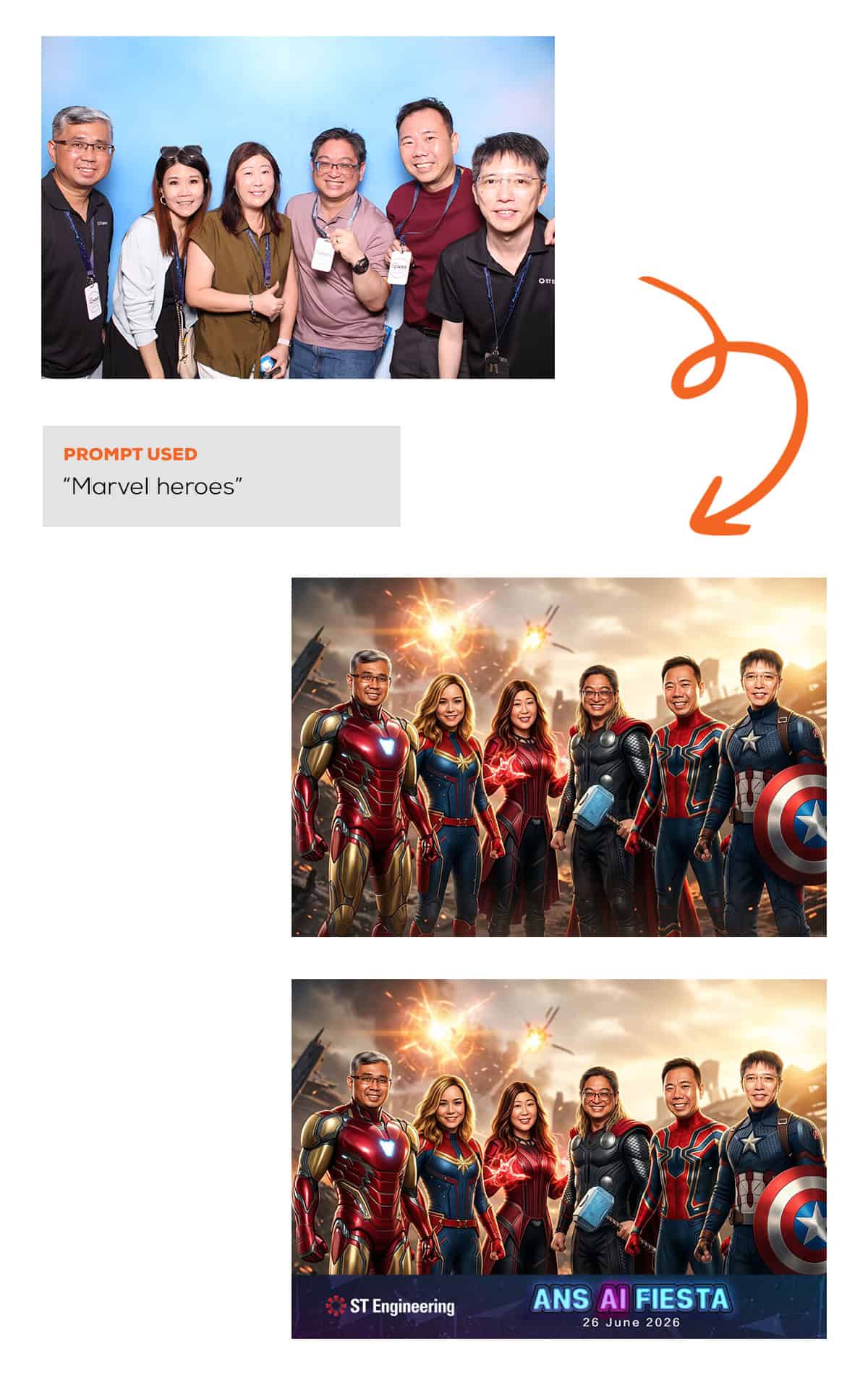
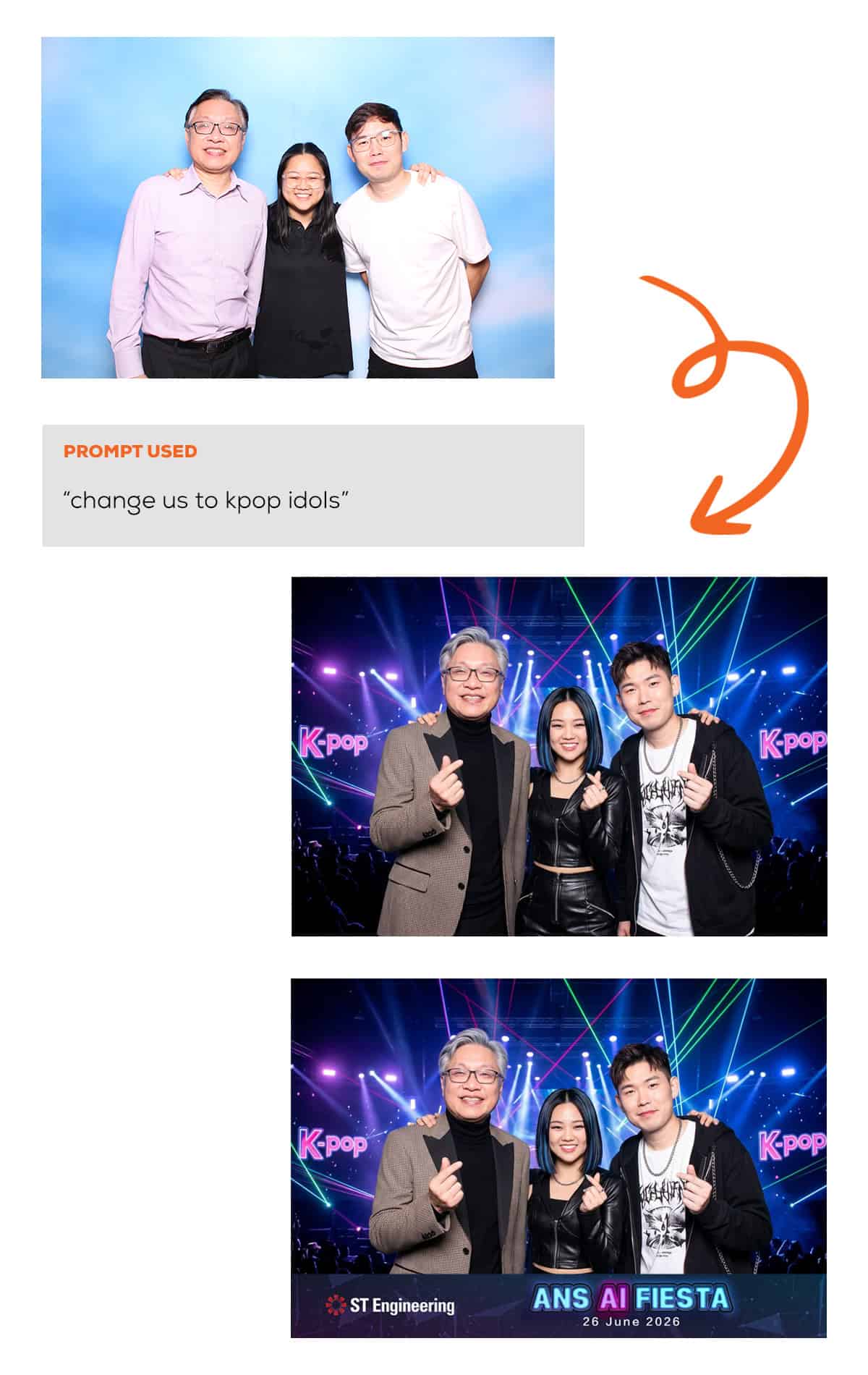
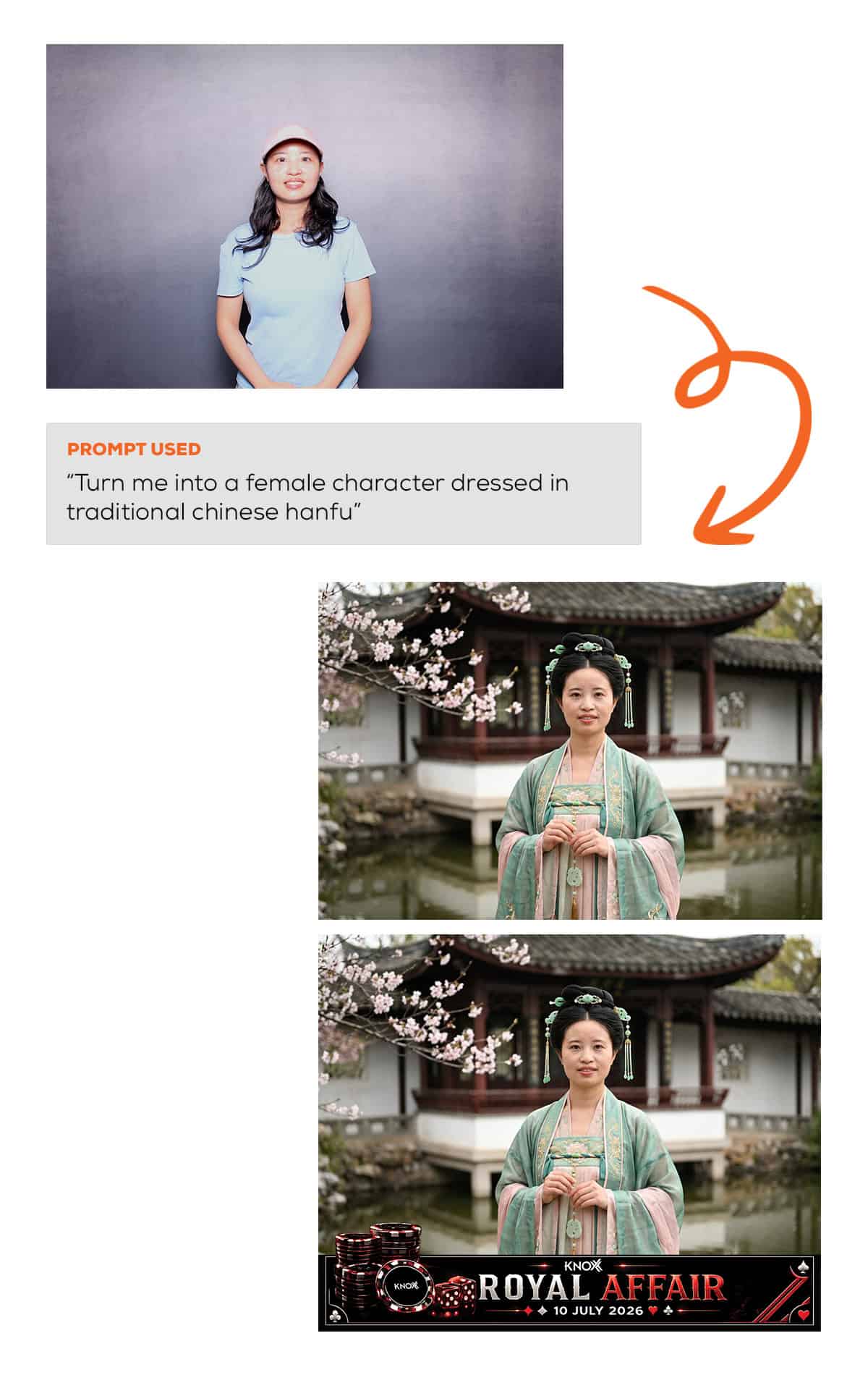
Whether it is a solo shot or a group photo, our AI Art Jam Photo Booth handles both. In addition, guests can use anything from a simple two-word prompt to a detailed multi-sentence description. Here are some examples of what is possible.
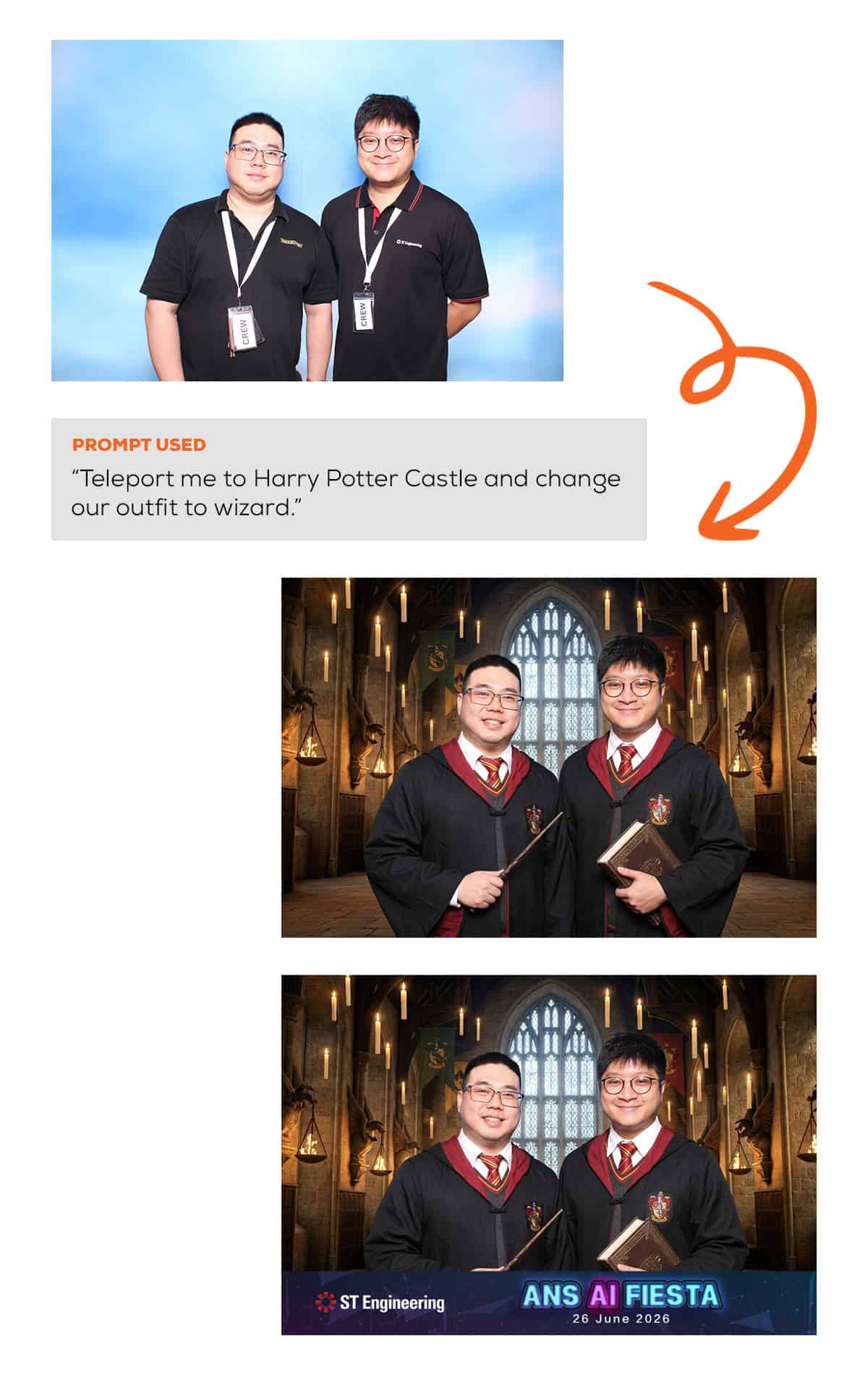
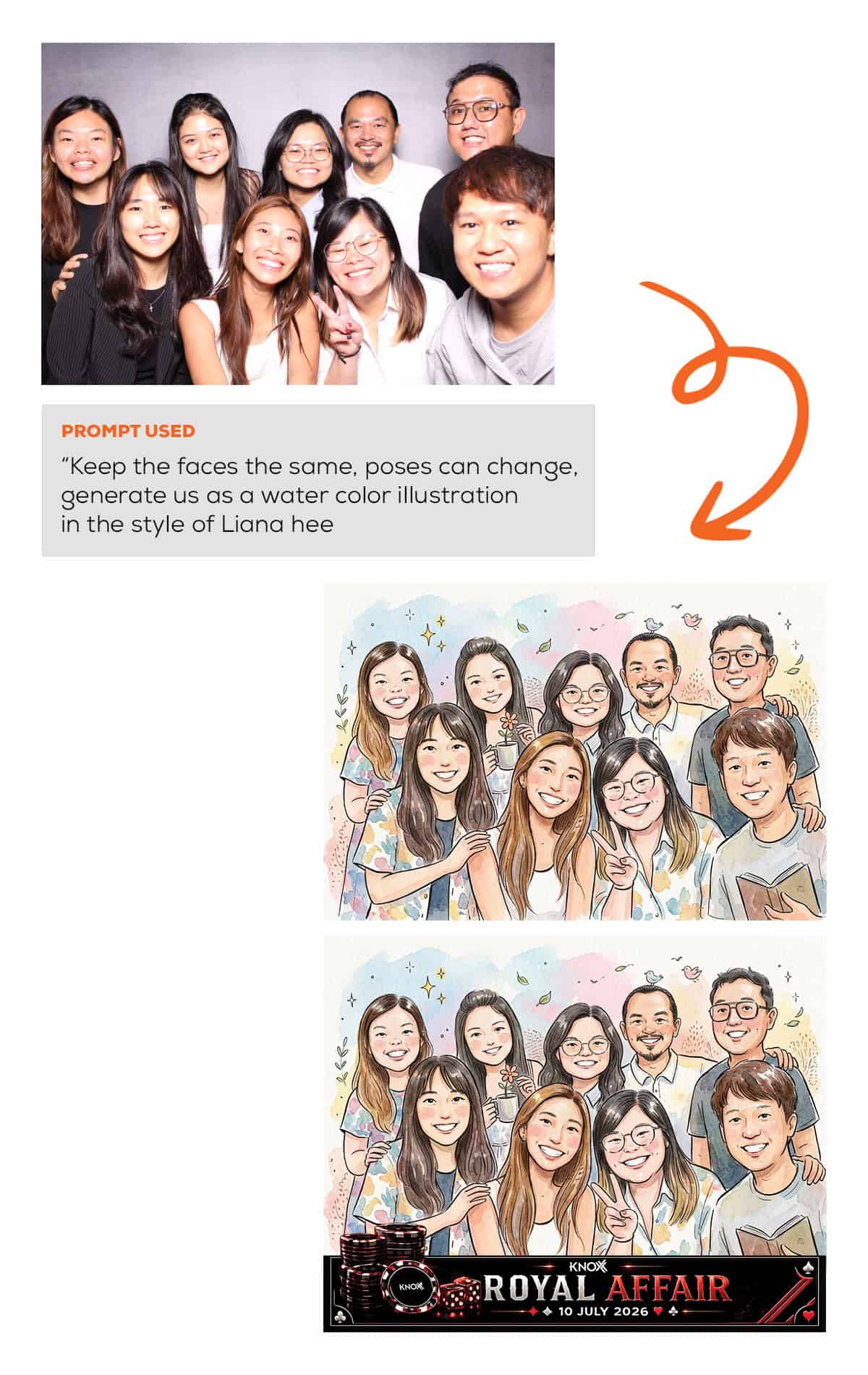
- Unlimited printouts
- Choose between 4R (6 inch by 4 inch) or Half 4R (4 inch by 3 inch) printout size
- Fully customised printout design 1
- Protective plastic sleeves for all printouts
- Standard props provision
- Branded microsite included
- This is the mobile page where guests type their AI prompts and transform their photo
- The microsite can be customised with your event or company logo. Key buttons on the page can also be styled in your event or company’s primary colour
- Choose one backdrop from our standard range
- Do note that in the actual AI generated output, the backdrop will be automatically removed by AI
- Guests can receive the digital soft copy instantly via email, WhatsApp or QR code
- Email — softcopy lands directly in their inbox; email subject and content can be customised to match your event or brand
- WhatsApp — softcopy sent straight to their phone via WhatsApp
- QR Code — guests can scan the QR code and save their individual digital copy directly to their device
- Access to softcopies after event via our online gallery
- At least 1 high speed printer
- At least 1 staff on site 2
Note:
- 1 You can revise the design for free up to the first 3 times. Every subsequent revision is at $30.
- 2 Our on-site staff facilitates the photo-taking and printing process. They are not responsible for crowd pulling or engaging. Should you require staff to engage or crowd pull guests to your booth, kindly let us know separately. Additional charges may apply.
Add-Ons available for our AI Art Jam Photo Booth
Below are a list of add ons compatible with our AI Art Jam Photo Booth. For more pricing and details about each add on, feel free to reach out to us directly.
| Add On | Description |
|---|---|
| Customised props | Printed on 5mm thick hard foamboard. Price starts at $16 per piece for size within A3. For bigger sizes and other materials, please get in touch with us separately. |
| Live photo feed | All printouts generated from our AI Art Jam Photo Booth can be streamed in real time for projection. |
| Branding on exterior | The exterior of our AI Art Jam Photo Booth can be cladded with your event's branding |
| Sticker printouts | Your photos will be printed on sticker paper instead of regular paper. |
| Magnetic printouts | Each printout comes with a magnetic backing. |
Note:
- Regarding our Live Photo Feed, we will only provide the software for our Live Photo Feed. You will need to provide a laptop (with internet connection), projector and a projection screen.
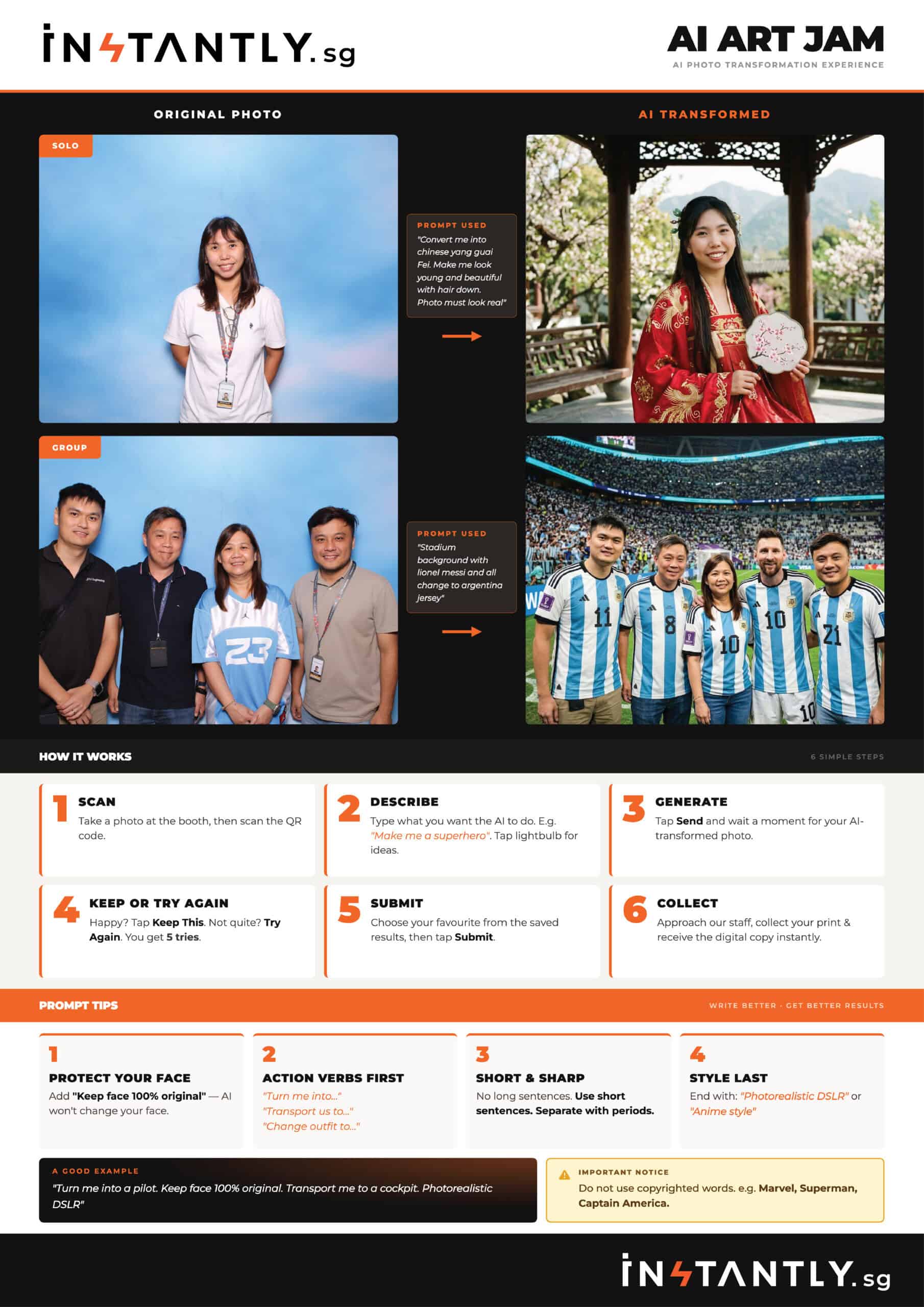
Below is a one pager summary of the features of our AI Art Jam Photo Booth. Click on it to see the enlarged version.
AI Art Jam Photo Booth — Frequently Asked Questions
After I enter a prompt, how long before the AI result appears?
Our AI model is fast. After you tap Send, the result will typically appear on your phone within 30 seconds to 1 minute.
What if I don't like the AI result?
No problem at all. You can prompt up to 5 times per session. Just edit and refine your prompt until you get a result you are happy with.
Will my face be distorted or changed in the AI result?
The AI model we use is very good at preserving facial features and expressions.. However, to get the best result, we recommend including “Keep face 100% original” in your prompt. This tells the AI to preserve your face exactly as it is while transforming everything else around you.
What makes a good prompt?
There are 4 simple principles to follow for the best results:
- Protect your face — add “Keep face 100% original” so the AI does not alter your facial features
- Action verbs first — start with commands like “Turn me into…” or “Change outfit to…” or “Transport us to…”
- Short and sharp — use short sentences separated with periods. No long descriptions.
- Style last — end your prompt with the visual style you want, such as “Photorealistic DSLR” or “Anime style”
Here is a good example: “Turn me into a pilot. Keep face 100% original. Transport me to a cockpit. Photorealistic DSLR.”
What happens after I submit my final AI result?
Once you tap Submit, your chosen AI output automatically appears on our on-site tablet. Head over to our staff to get it printed and receive your digital softcopy via email, QR code, or WhatsApp.